






















 FB
 BC2
 BCH
 BSV
 DGB
 VTC
 GRS
 XEC
 ETHW
 HNS
 LKY
 DINGO
 LBC
 SC
 RXD
What Is a Hardware Wallet? How It Works, the Types, and an Easy Setup Guide
A hardware wallet keeps your crypto keys on a small device that never puts them online. How it works, USB vs Bluetooth vs air-gapped vs card wallets, and a step-by-step setup.

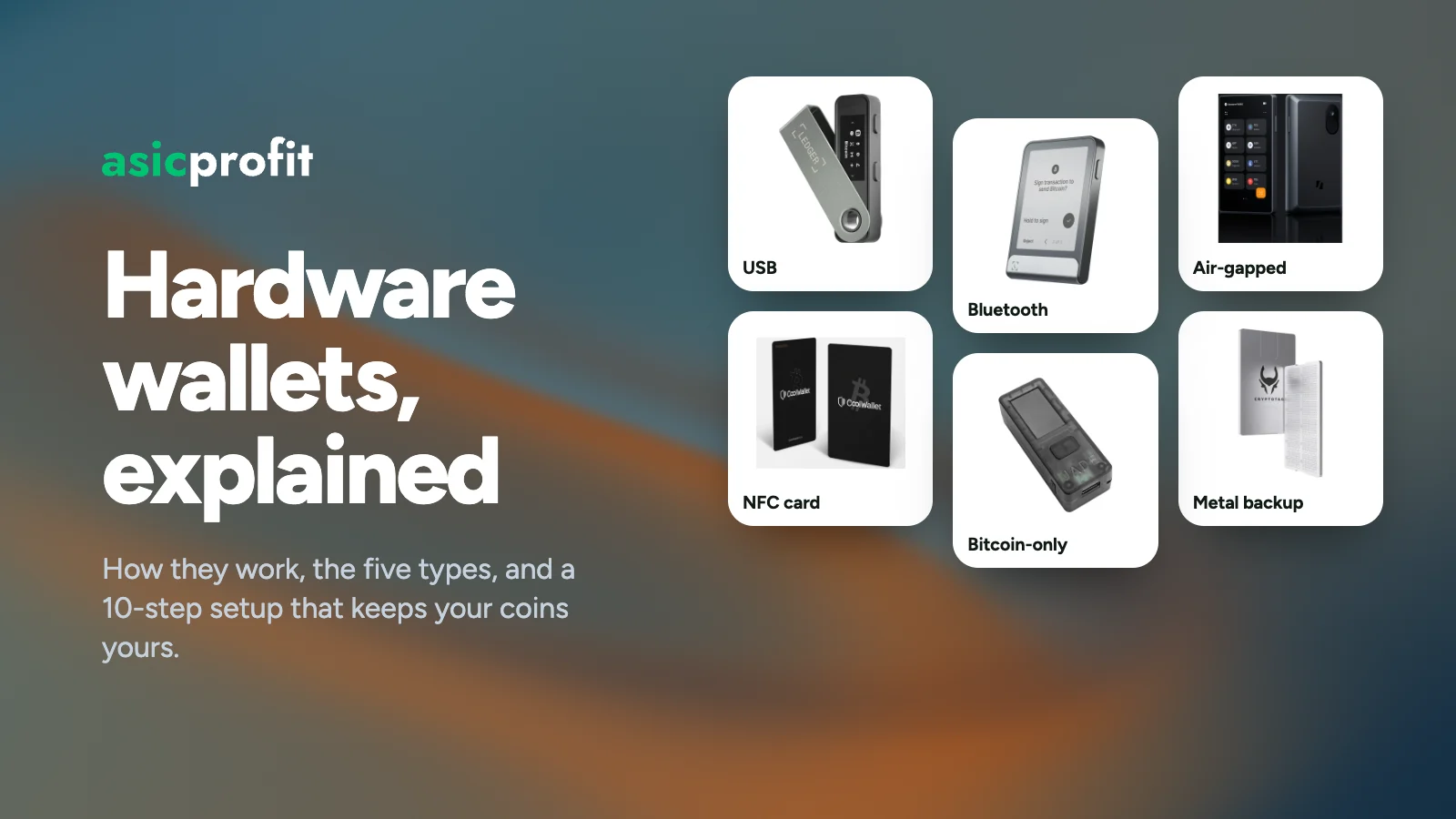
A hardware wallet is a small device that stores the private keys to your crypto offline and signs every transaction on its own screen, so a hacked phone or computer cannot move your coins. The main types differ in how they talk to your phone or computer: USB cable, Bluetooth, QR codes or microSD only (air-gapped), or an NFC card. On 26 Nov 2026 AsicProfit lists 29 hardware wallets from $49.50 to $568 and 14 metal seed backups from $39 to $182; setup takes about 20 minutes, and the one step that matters most is writing the 12 or 24 recovery words on paper or metal, never on a phone or computer.
What is a hardware wallet?
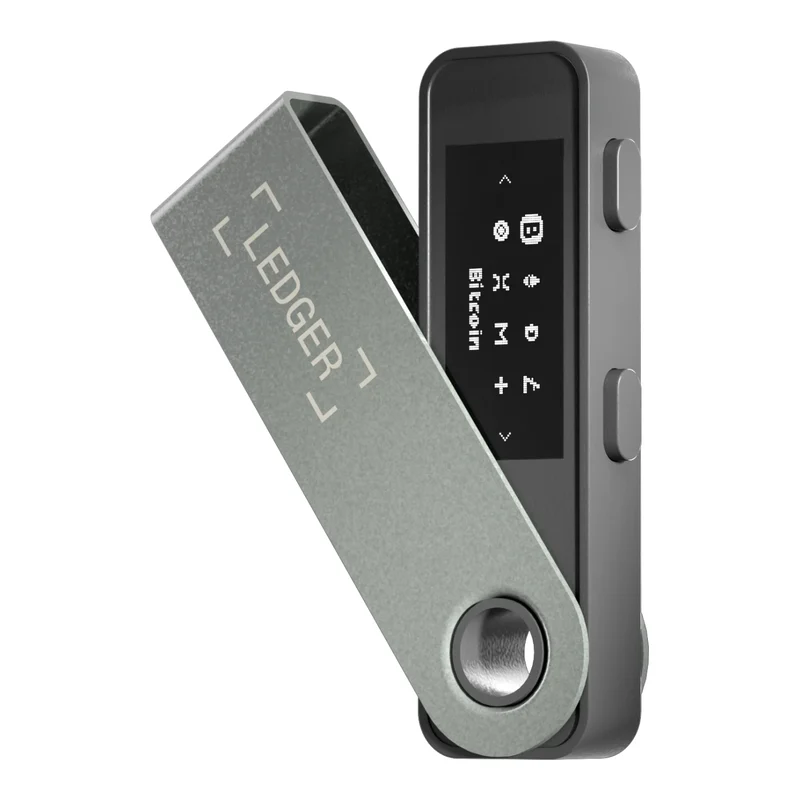
A hardware wallet is a small physical device that keeps the private keys to your cryptocurrency offline and signs transactions inside the device itself. Your coins never sit on the device: they stay on the blockchain. What the hardware wallet holds is the secret key that proves the coins are yours and lets you spend them. Because that key never leaves the device, malware on your phone or computer cannot copy it, and nobody can send your coins without pressing the buttons on the device in their hand.
A hardware wallet is also called a cold wallet or a signing device. The opposite is a hot wallet: an app on a phone or computer, or an account on an exchange, where the keys sit on a device that is online.
How does a hardware wallet work?
A hardware wallet works by splitting the job in two: your phone or computer builds the transaction, and the hardware wallet checks it and signs it.
- In the wallet app on your phone or computer you type the amount and the address you want to pay.
- The app sends the unsigned transaction to the hardware wallet (by cable, Bluetooth, NFC, or as a QR code).
- The hardware wallet shows the amount and the address on its own screen. You check them and confirm with its buttons or touchscreen.
- The hardware wallet signs the transaction with the private key, which stays inside it, and sends back only the signature.
- The app broadcasts the signed transaction to the network.
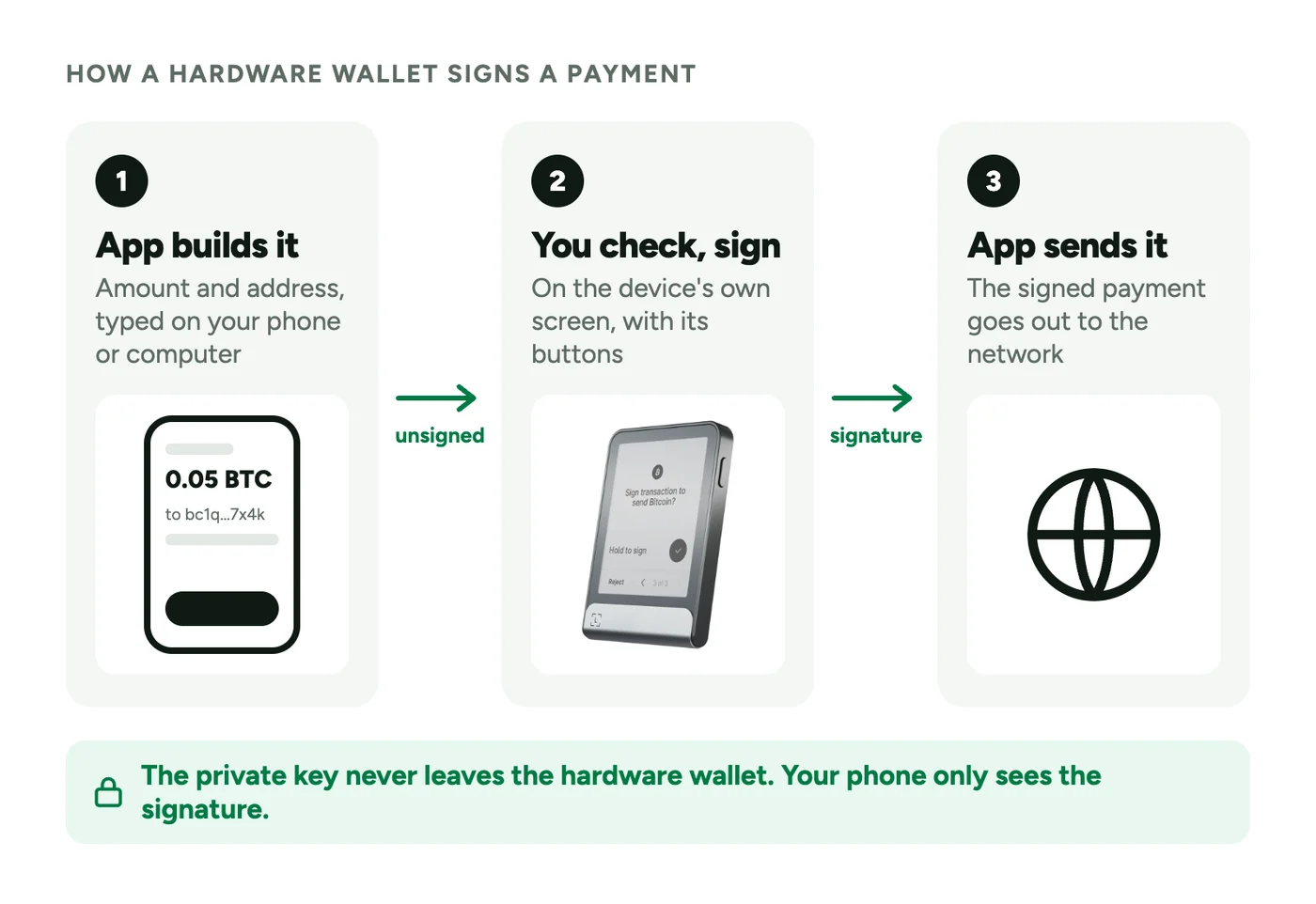
The phone or computer only ever sees the signed transaction and your public addresses, never the key. That is why the screen on the device matters: it is the one screen a hacker cannot change. Always read the address there, not on your computer.
What is a seed phrase, and why does it matter more than the device?
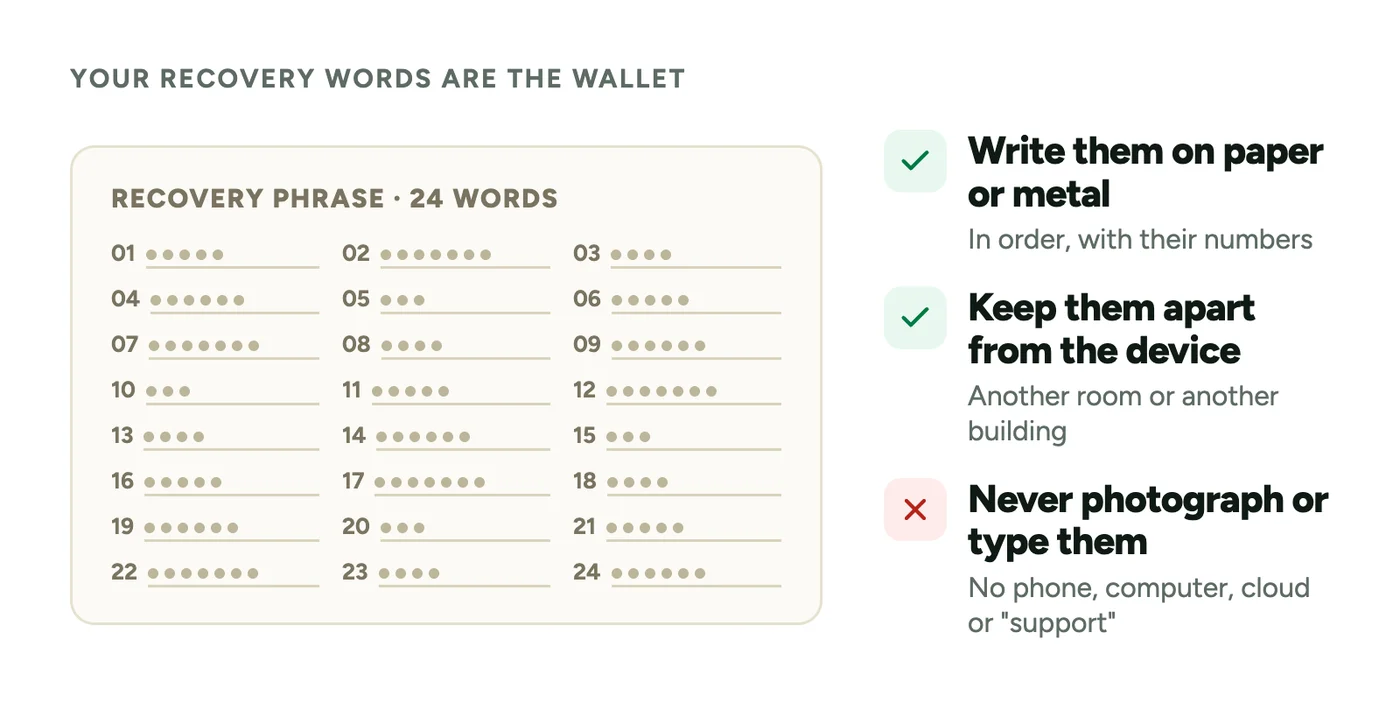
The seed phrase (also called the recovery phrase) is a list of 12 or 24 ordinary English words that the hardware wallet shows once, when you set it up. Every private key in the wallet is calculated from those words, so the words are the wallet: if the device is lost, broken or stolen, the same words typed into a new device bring back every coin.
The words come from a fixed list of 2,048 words defined in the BIP39 standard (BIP39 on GitHub). 12 words carry 128 bits of randomness and 24 words carry 256 bits; both are far beyond what anyone can guess. Because most wallets use the same standard, the words from one maker usually restore in another maker's wallet too.
Two rules follow from this:
- Anyone who sees the words can take everything, without the device and without the PIN. Never photograph them, type them into a phone or computer, store them in a password manager or cloud, or tell them to anyone, including "support".
- If you lose the device and the words, the coins are gone for good. No maker, shop or exchange can recover them.
What are the different types of hardware wallets?
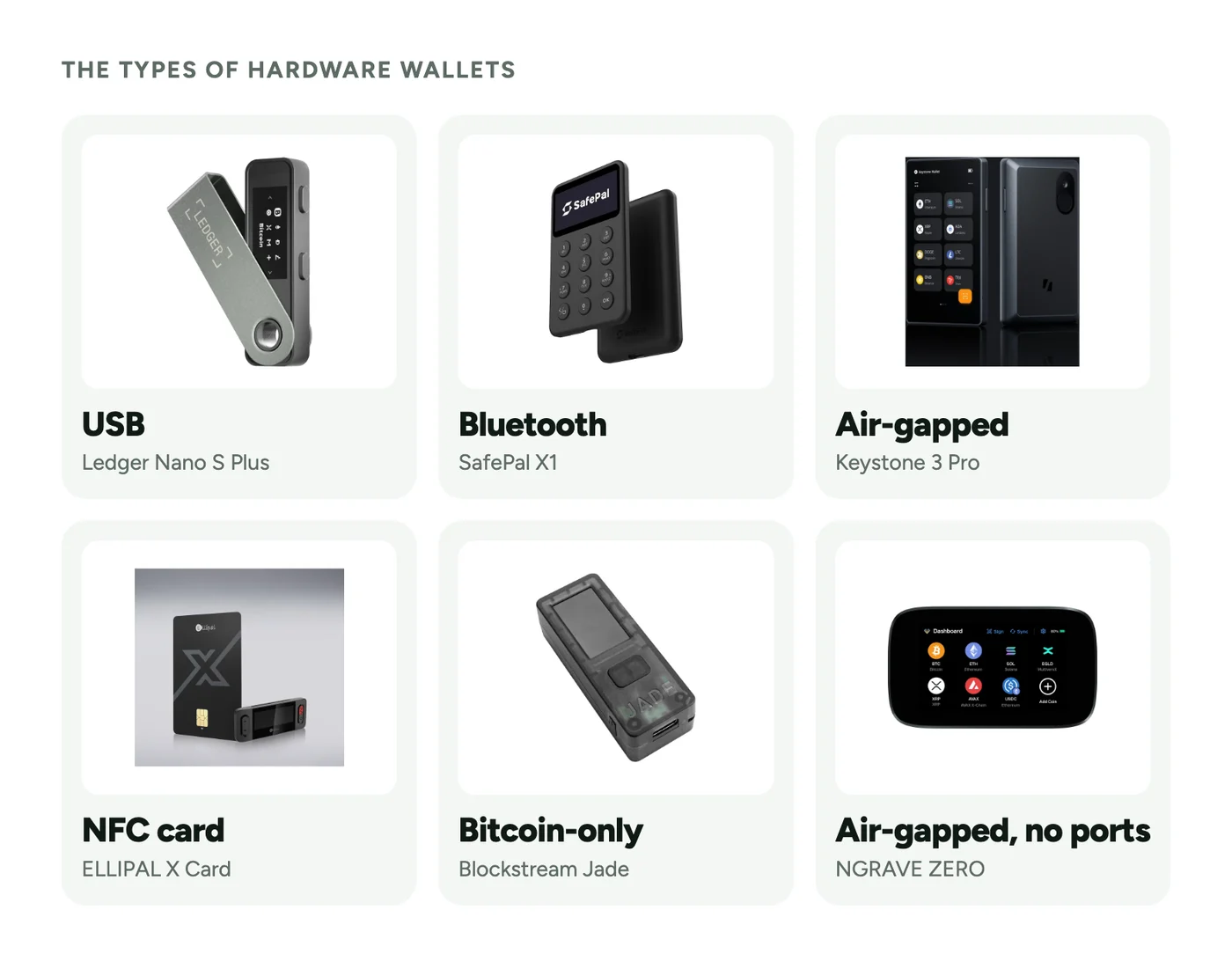
Hardware wallets differ mostly in how they talk to your phone or computer, which changes how convenient they are and how much of the outside world can reach them. The table shows the five main types with examples AsicProfit lists, at the lowest live shop price on 26 Nov 2026.
| Type | How it connects | Examples on AsicProfit (from, $) |
|---|---|---|
| USB | Cable to a computer or phone | Ledger Nano S Plus (62), BitBox02 (136) |
| Bluetooth | Cable, or wireless to a phone | SafePal X1 (69.99), Blockstream Jade Core (78.21), Ledger Nano X (79) |
| Air-gapped | QR codes or a microSD card; no cable or radio while signing | ELLIPAL Titan Mini (49.50), SafePal S1 (49.99), Keystone 3 Pro (149) |
| NFC card | Tap the card on a phone | ELLIPAL X Card (59), CoolWallet Go (69) |
| Bitcoin-only | Any of the above; the firmware handles only bitcoin | Blockstream Jade (52.93), BitBox02 Bitcoin-only (136) |
Prices are the lowest live shop price on AsicProfit on 26 Nov 2026, in US dollars, before shipping and import tax; most wallets are listed by their maker's own shop. The full list with every price is at hardware wallets.
USB wallets
A USB hardware wallet connects with a cable and is the simplest and usually cheapest type. On 26 Nov 2026 the Ledger Nano S Plus starts at $62 on AsicProfit and the BitBox02 at $136. A USB wallet is a good first wallet for anyone who manages their coins from a computer. The catch is the cable every time, and some USB-only models do not work with an iPhone at all.
Bluetooth wallets
A Bluetooth hardware wallet also has a cable but can connect to a phone without one, which makes it the easiest type to use from a phone. Only the unsigned transaction and the signature travel over Bluetooth; the private key does not, but the wireless link is still one more way to reach the device. The touchscreen models, the Ledger Flex ($249) and Ledger Stax ($399), make long addresses easier to check.
Air-gapped wallets
An air-gapped hardware wallet never connects to anything while it signs: it reads the transaction from a QR code with its camera (or from a microSD card) and shows the signature back as a QR code. Some, like the ELLIPAL Titan 2.0 and NGRAVE ZERO, have no USB data port or radio at all. Air-gapped wallets suit long-term savings; the price is speed, since every payment means scanning QR codes back and forth. The cheapest air-gapped wallets on AsicProfit on 26 Nov 2026 cost under $50, and the NGRAVE ZERO costs $398.
Card wallets
A card hardware wallet is a credit-card-sized device with a chip that signs when you tap it on a phone. Card wallets are thin and cheap, but most have no screen, so the address you confirm is shown by the phone app; the CoolWallet Pro ($149) connects by Bluetooth instead of NFC.
Bitcoin-only wallets
A Bitcoin-only hardware wallet runs firmware that handles bitcoin and nothing else. Less code means less that can go wrong, which is why many long-term bitcoin holders prefer one; the cost is no altcoins or tokens. On AsicProfit the Blockstream Jade family and the BitBox02 and BitBox02 Nova Bitcoin-only editions are Bitcoin-only.
Secure element and open source
Two more differences cut across all the types: whether the key sits in a secure element, and whether the code is open source. A secure element is a tamper-resistant chip, the same kind used in bank cards and passports, built to resist someone who opens the device in a lab; certifications such as CC EAL5+ or EAL6+ measure that. Open-source firmware lets independent experts check the code. Some wallets have both (BitBox02 and Keystone 3 Pro use secure-element chips and publish their code), some have one: Ledger keeps its secure-element code closed, and Blockstream Jade is fully open source with no secure element, protecting the PIN with Blockstream's server design instead. Each wallet's page on AsicProfit lists its chip and open-source status.
How do I set up a hardware wallet?
Setting up a hardware wallet takes about 20 minutes and is much the same on every model. The exact screens differ by maker; the steps below are the ones that matter.
- Buy it new, from the maker's shop or a seller the maker lists. Check that the box seals are intact. If the box contains a card with recovery words already printed on it, or the device is already set up, do not use it: that is a known scam, and whoever wrote the words can empty the wallet.
- Install the maker's app from the maker's own website. Type the address yourself instead of clicking an ad or a link in an email; fake wallet apps are the most common way people lose coins.
- Connect the device and update the firmware when the app asks. Most apps also check that the device is genuine at this step.
- Choose a PIN. The PIN locks the device; after a number of wrong tries (set by the maker) it wipes itself, which is safe as long as you have your recovery words.
- Create a new wallet and write down the recovery words. The device shows 12 or 24 words, once. Write them in order, with their numbers, on the card in the box. Do not photograph them or type them anywhere.
- Confirm the words. The device asks for some of them back to make sure you wrote them correctly.
- Add the coins you want in the app. This only adds accounts; nothing is sent yet.
- Receive a small amount first. Ask the app for a receive address and check that the same address shows on the device's screen before you use it.
- Test the recovery. With only that small amount in the wallet, reset the device and restore it from your written words (some apps have a "check backup" step that does the same). If the same balance comes back, your backup works.
- Move the rest, and store the words safely. Keep the words away from the device, for example in a different room or building. A metal backup survives fire and water that paper does not.
Should I use a passphrase?
A passphrase is an optional extra word or sentence, set in the wallet's settings, that is added to your recovery words and opens a different, hidden wallet. It protects you if someone finds your recovery words, but if you forget the passphrase, the coins behind it are lost, exactly as if you lost the words. Use one only after you are comfortable with the basics, and back it up separately from the words.
What is a metal seed backup?
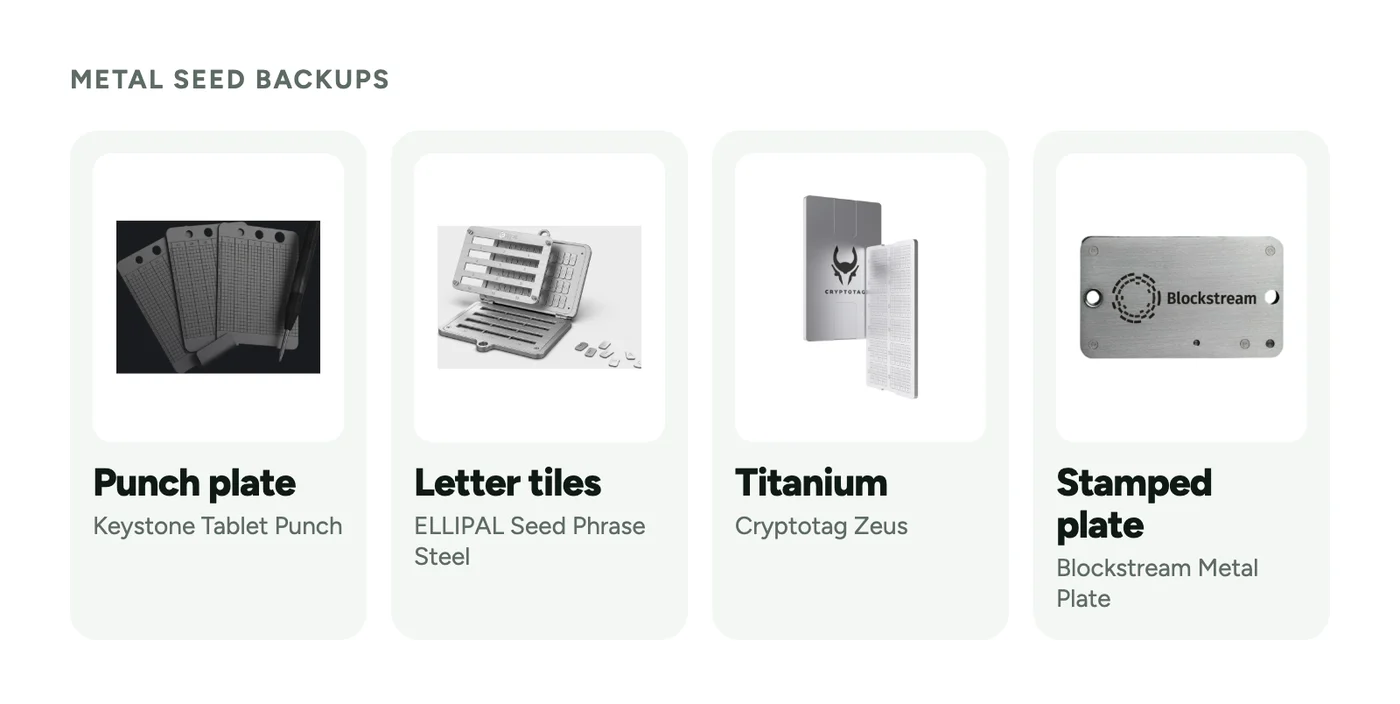
A metal seed backup is a steel or titanium plate, capsule or tile set on which you stamp, punch or slide in your recovery words, so they survive a house fire or a flood that would destroy paper. On 26 Nov 2026 AsicProfit lists 14 metal seed backups from $39 to $182. The makers that state a heat rating give 1,375 °C to 1,665 °C, the highest being the titanium Cryptotag Zeus.
| Metal backup | Material | Heat (°C) | From ($) |
|---|---|---|---|
| Keystone Tablet Punch | 304 steel | 1,399 | 39 |
| ELLIPAL Seed Phrase Steel | 316 steel | 1,454 | 39 |
| SafePal Cypher Seed Board | 304 steel | 1,398 | 44.99 |
| Billfodl | 316 steel | not stated | 99 |
| Cryptotag Zeus | Titanium, 6 mm | 1,665 | 139 |
| Blockstream Metal Plate | 316 steel | not stated | 149 |
Lowest live shop price on AsicProfit on 26 Nov 2026; heat ratings are the makers' own figures.
Can a mining pool pay straight into a hardware wallet?
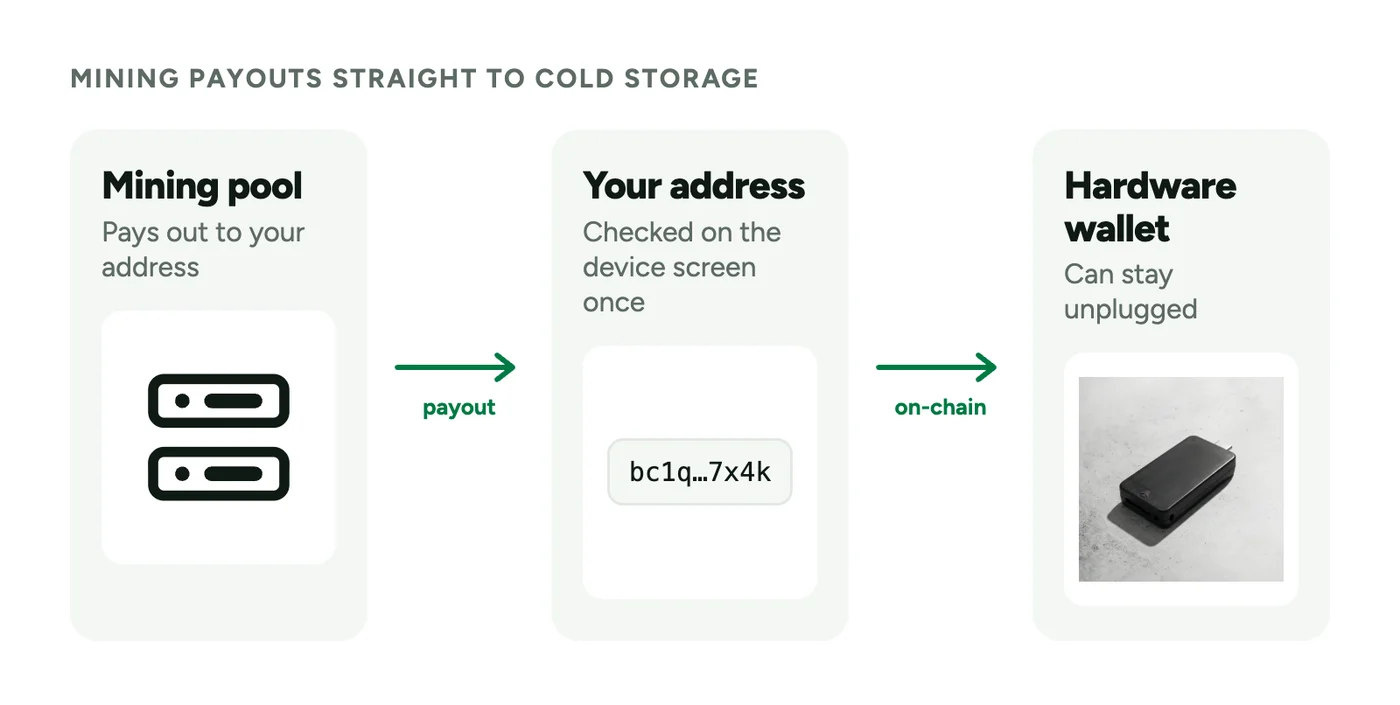
Yes: a mining pool pays to an address, and an address from a hardware wallet works like any other, so payouts go straight to cold storage without passing through an exchange or a hot wallet. The hardware wallet does not need to be connected to receive. To set it up, ask the wallet's app for a receive address, check it on the device's screen, and paste it as the payout address in the pool's settings. Do a first small payout and check it arrives before relying on it.
Many small payouts each become a separate piece of coin in the wallet, and spending many pieces at once costs more in network fees. If the pool lets you, set a higher minimum payout so you receive fewer, larger payments.
What can go wrong with a hardware wallet?
A hardware wallet removes the biggest risk, keys on an online device, but it does not remove all of them. The ways people still lose coins:
- Lost recovery words. Without the words, a lost or broken device means the coins are gone. This is the most common loss.
- Recovery words seen by someone else. A photo in the cloud, a note on a laptop, a "support agent" asking for them: whoever has the words has the coins.
- Fake apps and fake support. Scammers copy wallet apps and websites and run ads for them. Install only from the maker's site; no real support will ever ask for your words.
- Tampered or second-hand devices. A device that arrives already set up, or with words already printed, is a trap. Buy new, from the maker or a seller it lists.
- Not checking the address on the device. Malware can swap the address you copy on your computer. The device's screen is the only one you can trust.
- Forgotten passphrase or PIN plus lost words. Extra protection only helps if you can still open the wallet yourself.
- Physical threats. A hardware wallet cannot stop someone forcing you to unlock it. Do not talk publicly about how much you hold.
- The maker closes. Your coins are not lost: the recovery words restore in another wallet that supports the same standard, although some coins may need specific software.
Frequently asked questions
Do I need a hardware wallet?
You need a hardware wallet once you hold more crypto than you would be comfortable losing to a hacked phone or a failed exchange. For small amounts you spend often, a phone wallet is fine; savings and mining payouts are safer on a hardware wallet.
Is a hardware wallet better than keeping crypto on an exchange?
A hardware wallet means you alone control the keys, while an exchange holds the keys for you and can freeze withdrawals, be hacked or go bankrupt. The trade-off is that with a hardware wallet nobody can help you if you lose your recovery words.
What happens if I lose my hardware wallet?
If you lose your hardware wallet, your coins are still safe as long as you have your recovery words: buy a new device (any model that supports the same standard), choose "restore", and type the words in. Whoever finds the lost device cannot use it without the PIN, and it wipes itself after too many wrong tries.
Can a hardware wallet be hacked?
A hardware wallet can be attacked, but taking coins from one usually needs the device in hand, specialist lab equipment and often the PIN; secure-element chips are built to resist exactly that. Almost all real losses come from the recovery words being stolen or the user approving a scammer's transaction, not from the device being broken.
Is a Bluetooth hardware wallet safe?
A Bluetooth hardware wallet is safe in the sense that the private key never travels over Bluetooth, only the transaction and its signature. Bluetooth is still one more way to reach the device, so people who want the smallest possible attack surface choose a USB or air-gapped wallet.
Should my recovery phrase be 12 or 24 words?
Both 12 and 24 words are secure: 12 words give 128 bits of randomness and 24 words give 256 bits, and neither can be guessed. Use what your wallet offers; storing the words safely matters far more than their number.
Can one hardware wallet hold different coins?
Yes, a multi-coin hardware wallet holds bitcoin and many other coins and tokens from one set of recovery words; the maker's site lists which ones. Bitcoin-only wallets such as the Blockstream Jade and the BitBox02 Bitcoin-only edition handle bitcoin and nothing else.
How much does a hardware wallet cost?
On 26 Nov 2026 hardware wallets on AsicProfit cost from $49.50 (ELLIPAL Titan Mini) to $568 (NGRAVE Ultimate Combo Pack), before shipping and import tax. A good USB or Bluetooth wallet costs $60 to $180, and a metal backup for the recovery words adds $39 to $182.
Which miner pays off at your power price?
Compare the live profit of every ASIC miner, then buy from verified sellers or find hosting.
Keep reading
All articles →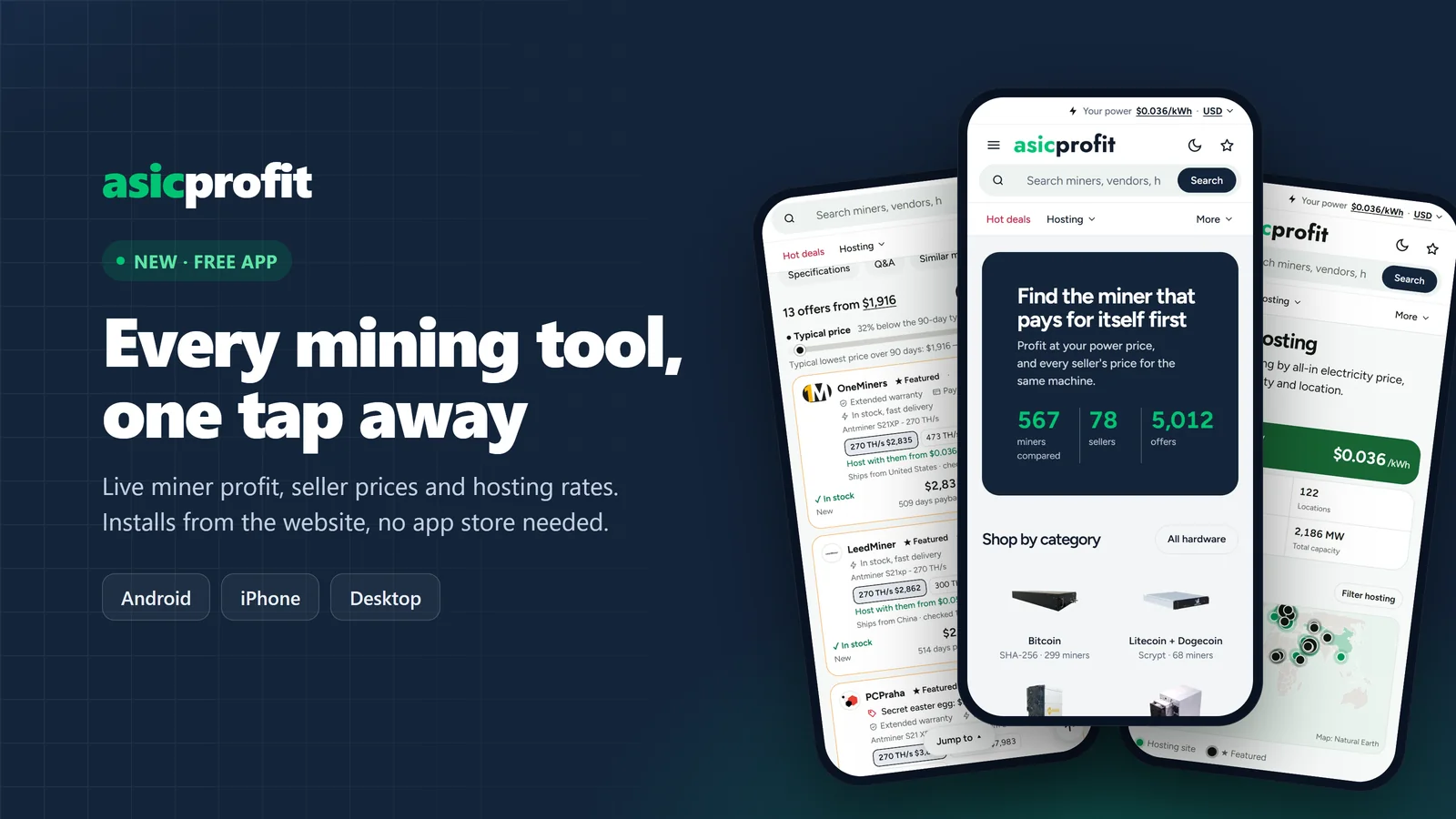
The AsicProfit App: Free Mining Calculators and Miner Prices on Android and iPhone
AsicProfit now installs on your phone like an app: free, no app store, full screen, with every mining calculator, miner price and hosting rate one tap away.
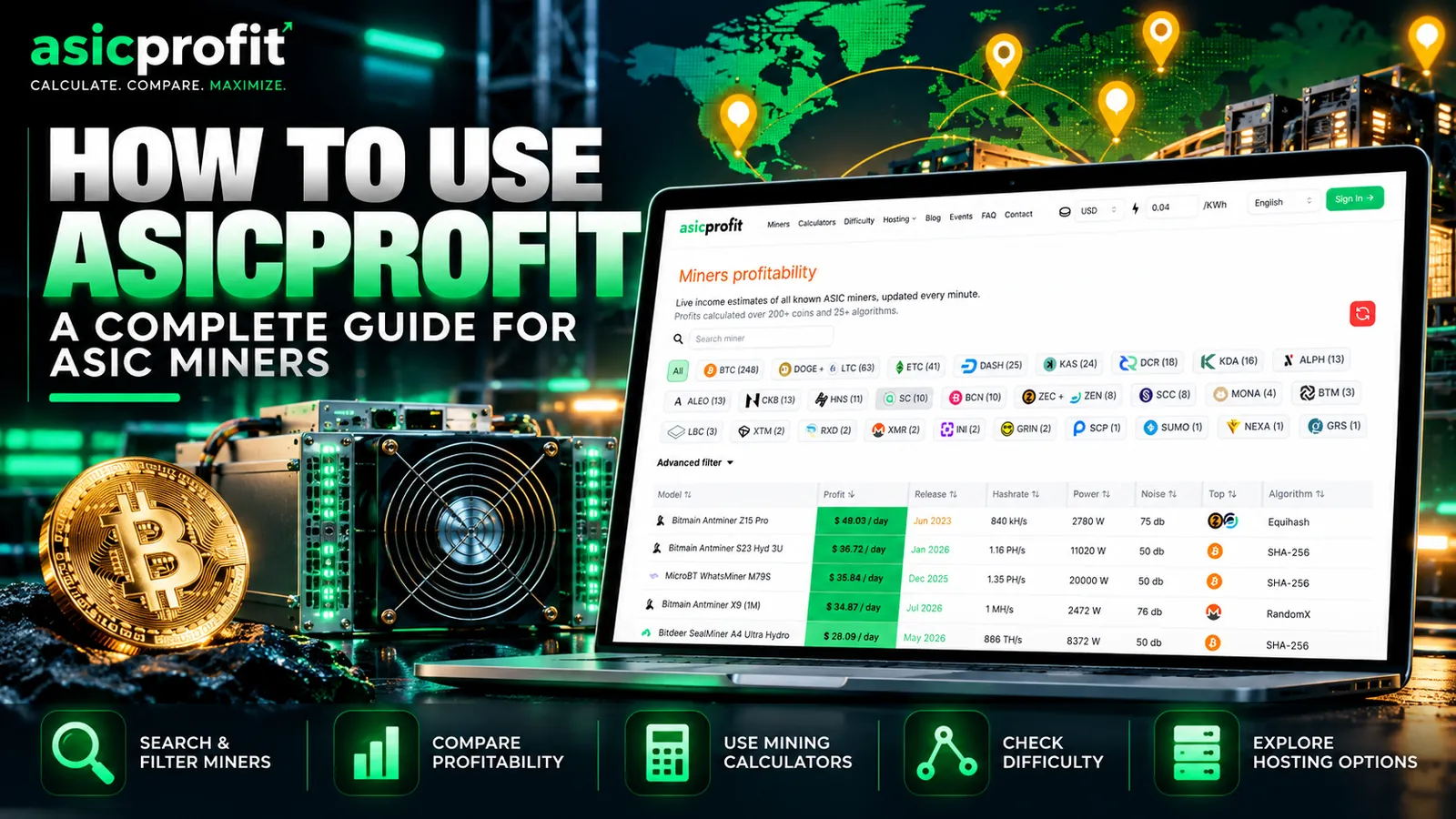
How to Use ASICProfit for ASIC Mining
Learn how to use ASICProfit to compare ASIC miners, calculate profitability, track difficulty, evaluate hosting and make better mining decisions.
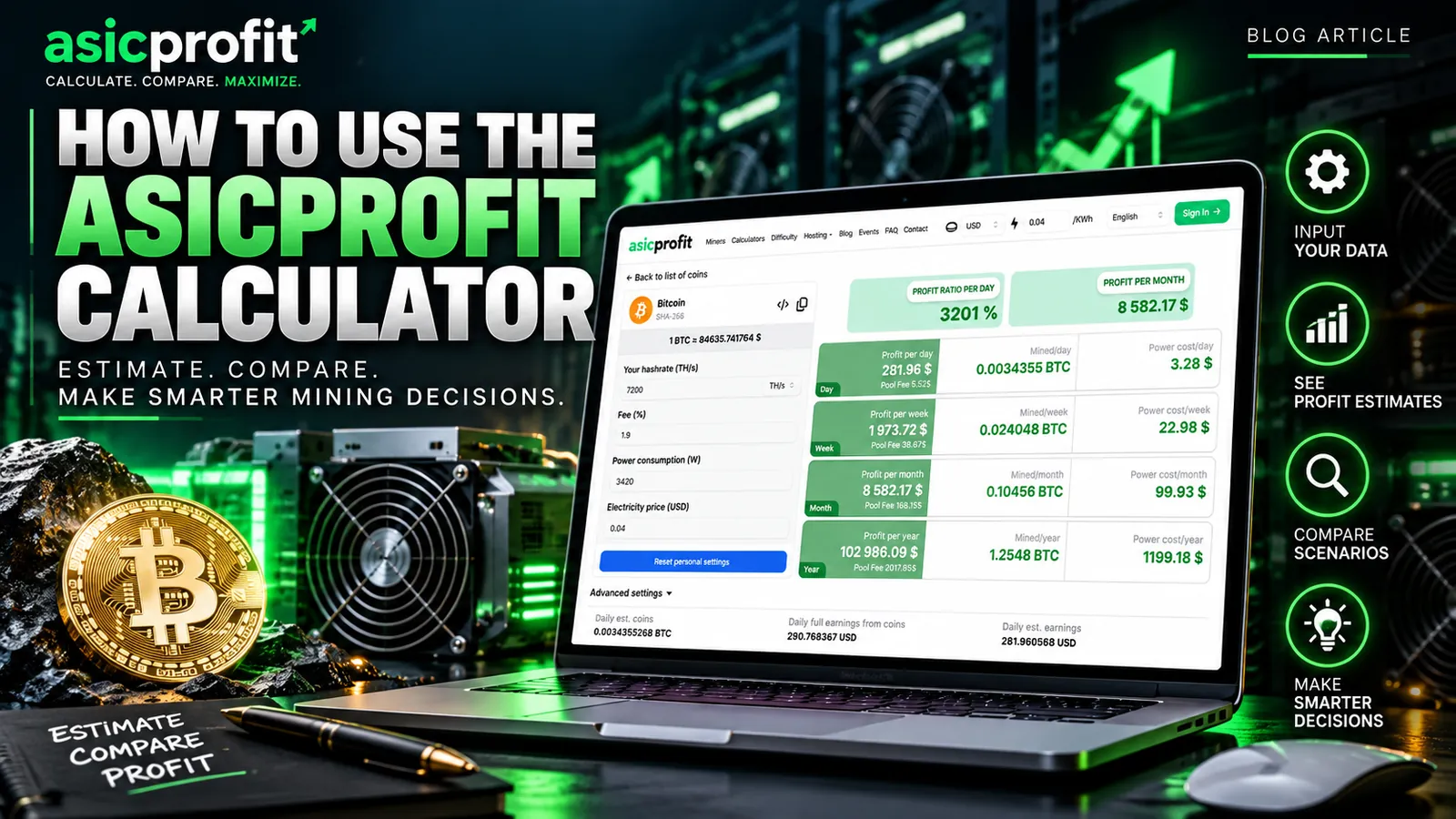
How to Use the ASICProfit Calculator
Learn how to use the ASICProfit calculator to estimate mining revenue, electricity costs, pool fees and profit across multiple time periods.